
Vincent Babin
Senior Product Manager, SquaredUp
Sign up for a free account and get visibility in minutes

As a Senior Product Manager here at SquaredUp, I’d like to tell you more about how easy it is to share dashboards with anyone, as well as share some design decisions and explain the feature in more detail.
When we set out to develop this feature, we incorporated feedback from our users. We knew how important it was for them to:
We faced several options and challenges: determining who can share dashboards, whether there is a limit to the number of people a dashboard can be shared with, and ensuring secure sharing. Above all, we aimed to enable our users to share a dashboard with minimal effort, requiring no more than a click or two.
For the past decade, our on-premise dashboard product has been utilized by thousands of companies. One popular feature, “Open Access,” allowed users to share view-only dashboards with anyone. With a simple toggle, users could quickly display dashboards on office wall screens, provide greater visibility to stakeholders, and embed dashboards in tools like SharePoint and Confluence. These dashboards were truly open for anyone to view.
So, we set out to tackle the challenge of enabling the same “Open Access” capability in SquaredUp. All it takes is for someone with the rights to edit a dashboard to click “Share,” enable sharing for the dashboard, and copy the link. That’s it! The link can then be sent to colleagues, displayed on a wall screen, embedded in a portal, and more.
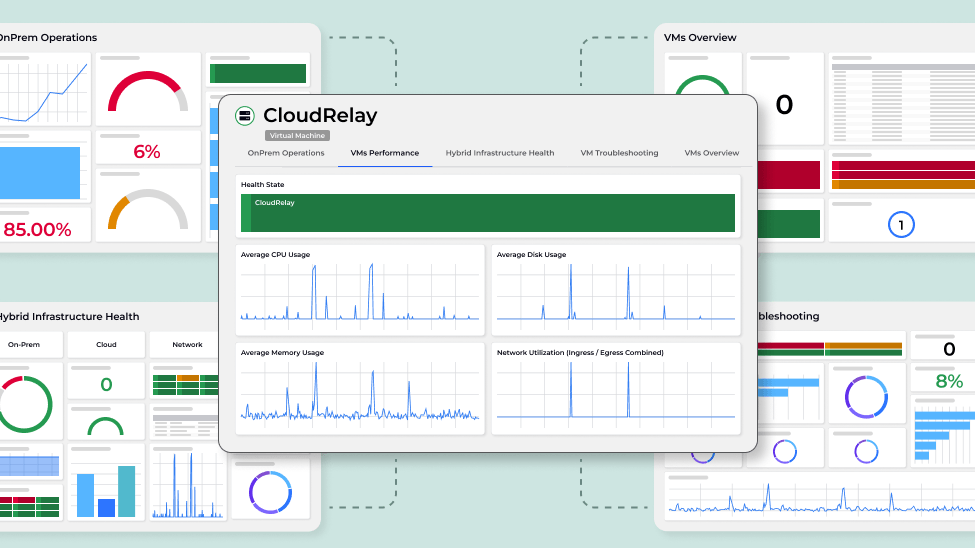
Below is a screenshot of a shared dashboard.

At first glance, a shared dashboard may seem like just a static snapshot. However, there is more to it than meets the eye.
Users can interact with the tiles to:
This capability is excellent for sharing with stakeholders and for reporting purposes, without the need to set up new users or configure access rights. And it also renders well on most devices, whether it’s a desktop, tablet or smartphone. This flexibility ensures that stakeholders can access the information they need, no matter where they are.
A shared dashboard link is public. We anticipated that this would not always be suitable for companies with stricter security requirements. We knew we needed to provide a level of authentication to ensure that dashboards and their data do not end up in the wrong hands. Thus, we introduced the “Sharing to anyone in my organization” feature. An administrator can enforce this sharing method by specifying one or more email domains allowed to view these shared dashboards, ensuring secure and appropriate access.

When the dashboard authentication option is enforced, only links that require authentication can be generated. Consequently, previously shared dashboards that did not require authentication will no longer work.

The recipient of the link simply authenticates using their company email, typically via Single Sign-On (SSO), to sign in. Importantly, this authentication process does not consume a paid user license.
The feature works the same everywhere — how many dashboards you can share depends on your plan, and it grows as you move up, with room to add more as you need it.
And that wraps up my brief behind-the-scenes write-up of our popular Sharing feature.
Create a free account to try SquaredUp for yourself and share your dashboard with anyone. More details on pricing and features here.
Senior Product Manager, SquaredUp