It's free and easy to get started
Sign up for a free account and get visibility in minutes
Free sign-up100+ ready-to-use integrationsEasy to learn dashboard designerOne-click sharing
Sign up for a free account and get visibility in minutes
How they differ, when to use each, and how they work together for hybrid cloud visibility
SquaredUp Dashboard Server (DS) and SquaredUp Cloud both deliver cutting-edge data visualization for IT and engineering teams. The two products can be used independently, or together for complete operational visibility.
This article explores how SquaredUp DS and Cloud differ, when to use each, and how they work together. If you prefer to consume video content, check out this video by Graham Davies, Dashboard Server Technical Product Manager, which explores a similar topic.
“The revolutionary tool that has single‑handedly modernized SCOM.” – Justin Paton, Westpac

SquaredUp DS has been transforming Microsoft System Center Operations Manager (SCOM) with its modern web interface since 2012. It is used by hundreds of enterprise IT Operations teams worldwide – including some of the world’s largest SCOM environments.
Designed specifically for SCOM, DS is incredibly simple to deploy into an existing SCOM environment and integrates natively with SCOM access control and management packs. While focused on SCOM, SquaredUp DS can expand visibility beyond SCOM using dashboard tiles that connect directly to systems like VMware, ServiceNow, and PowerShell.
Explore SquaredUp DS further on the dedicated website ds.squaredup.com.
"Thanks to my dashboards in SquaredUp, we can have discussions based on facts, not fiction." – Maxime Michel, Magnolia

SquaredUp Cloud is the next generation of dashboarding designed for a cloud-centric, DevOps-driven world.
SquaredUp Cloud inherits the DNA of Dashboard Server (easy dashboarding, health roll-ups, object drilldowns, and alerting) but extends these capabilities to over 60 tools and data sources. While DS goes deep on SCOM, Cloud goes broad – from cloud platforms such as Azure, AWS, and GCP to DevOps platforms like GitHub, Jira, Azure DevOps.
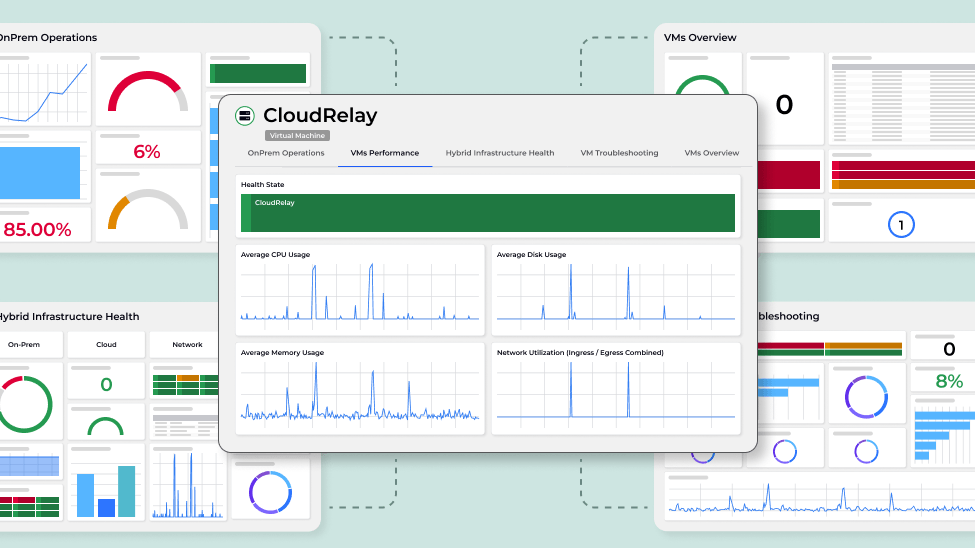
SquaredUp Cloud is built from the ground up as a cloud-native, SaaS-only product. It is not currently available as a self-hosted (on-prem) solution, however, it can connect to on-prem data sources such as VMware through a Cloud Relay Agent. SquaredUp Cloud does optionally integrate with SCOM as a data source but, unlike DS, it does not require SCOM.
Explore SquaredUp Cloud at squaredup.com. (Note that SquaredUp Cloud is referred to as simply ‘SquaredUp’ on the website).
“SquaredUp will be our observability portal going forward. We can now pull elements of those observability dashboards that require business-critical, 24/7 monitoring into SCOM and surface them through the SquaredUp single pane of glass.” – Anthony Ashmead, Arup
SquaredUp DS and Cloud have a similar look and feel, and are designed to integrate seamlessly. As you can see from the previous descriptions, SquaredUp DS offers deep integration with SCOM which is usually focused on on-prem and server-based workloads, while SquaredUp Cloud goes broad across many data sources including public cloud and DevOps. Together they provide comprehensive visibility.
These integrations provide a lot of flexibility in how customers can 'mix and match' DS and Cloud depending on their needs. It is best to discuss your individual requirements with a SquaredUp Solutions Engineer, but here is an example of how they are typically used together, from the point of view of ITOps teams, DevOps teams, and management teams:
As workloads shift between on-prem and cloud, and new monitoring tools are used alongside SCOM, the combination of DS and Cloud provides teams with a comprehensive and flexible monitoring platform that can adapt to your changing environment and tooling landscape.
SquaredUp DS | SquaredUp Cloud | Hybrid (DS + Cloud) | |
|---|---|---|---|
Fundamentals | |||
| Hosting | Self-hosted | SaaS | Both |
| Requires SCOM | Yes | No | Yes |
| Easy to use dashboard designer | Yes | Yes | Yes |
| Shareable dashboards | Yes | Yes | Yes |
| Object drilldowns | Yes (SCOM-only) | Yes (all integrations) | Yes |
| Monitoring and alerting | Yes (SCOM-only) | Yes (all integrations) | Yes |
| RollUp | Yes (SCOM-only) | Yes (all integrations) | Yes |
| Access control | SCOM integrated | Custom | Both |
SCOM features | |||
| SCOM alerts, health state and data warehouse metrics | Yes | Yes | Yes |
| SCOM alert management | Yes | - | Yes |
| SCOM maintenance mode | Yes | - | Yes |
| SCOM agent tasks | Yes | - | Yes |
| SCOM delegated admin | Yes | - | Yes |
| SCOM service level reporting | Yes | - | Yes |
| SCOM visual application discovery and analysis (VADA) | Yes | - | Yes |
| SCOM enterprise application monitoring | Yes | - | Yes |
Integrations | |||
| VMware | Yes | Yes | Yes |
| SolarWinds | Yes | Yes | Yes |
| Splunk | Yes | Yes | Yes |
| ServiceNow | Yes | Yes | Yes |
| Prometheus | Yes | Yes | Yes |
| Azure Log Analytics | Yes | Yes | Yes |
| MS SQL | Yes | Yes | Yes |
| PowerShell | Yes | Yes | Yes |
| Web API | Yes | Yes | Yes |
| Cloud cost reporting: Azure, AWS, GCP | - | Yes | Yes |
| Cloud monitoring: Azure, AWS, GCP | - | Yes | Yes |
| DevOps: Azure DevOps, Jira, GitHub, more | - | Yes | Yes |
| APM: Dynatrace, New Relic, AppD, Datadog, more | - | Yes | Yes |
| Network: Thousand Eyes, Cisco DNA, more | - | Yes | Yes |
| End user: Microsoft 365, more | - | Yes | Yes |
With the above summary in mind, here are some frequent scenarios to help you decide where to start.
“We are already a SquaredUp DS customer”
That’s a great start! SquaredUp Cloud is not designed to replace DS, but it does complement DS to extend your visibility beyond SCOM, especially if you are migrating to cloud infrastructure and DevOps practices. If you have an EAM-X license then you already have access to a Cloud subscription. If you have a Teams or EAM license, you can trial SquaredUp Cloud for free. Please contact our sales team to discuss further.
“We use SCOM – our focus is exclusively on-prem”
SquaredUp DS is the essential tool that will transform your SCOM monitoring. Start with a DS free trial. Once you are up and running with DS, you may want to consider SquaredUp Cloud for extended visibility to additional on-prem systems and common cloud applications like Microsoft 365. An EAM-X license for DS includes a small subscription for Cloud for you to use to explore the possibilities.
“We use SCOM – we need to monitor both on-prem and cloud applications”
A hybrid approach with SquaredUp DS and Cloud is ideal. Depending on your current project priorities and focus, you may want to start your journey with either DS or Cloud. For example, if the priority is to monitor on-prem infrastructure and applications then start with DS. If your priority is cloud-focused – such as a business-critical application in Azure or managing cloud costs – then start with Cloud. The two products integrate tightly, for example embedding DS views in Cloud, so creating a single pane of glass dashboard for management and NOC teams is straightforward with either product.
“We do not use SaaS software”
SquaredUp Cloud is a SaaS-only product. If you have SCOM, then DS is a fully self-hosted solution. The EAM-X license provides direct, on-prem only DS integration with tools such as SolarWinds and VMware.
“We use SCOM, but transitioning to a cloud monitoring solution such as Azure Monitor”
SquaredUp Cloud is a flexible solution that will provide complete visibility no matter what your tools and where your data is. Depending on your timeframe for the transition, and the depth of visibility required in SCOM, you may choose to use Cloud standalone with its SCOM integration, or deploy DS alongside for deeper SCOM integration.
“We don’t have SCOM”
No problem! SquaredUp Cloud provides visibility across 60+ tools and data sources and does not require SCOM. Learn more here.